Get App

Feel The Rhythm of Your Media.

The most powerful, lightweight, and elegant music & video player for Android. Supports all formats, includes a 10-band EQ, and runs flawlessly on any device.

INOI Player Interface
10M+
Downloads
4.9
User Rating
60+
Formats Supported

Installation Guide

Follow these simple steps to install INOI Player on your Android device.

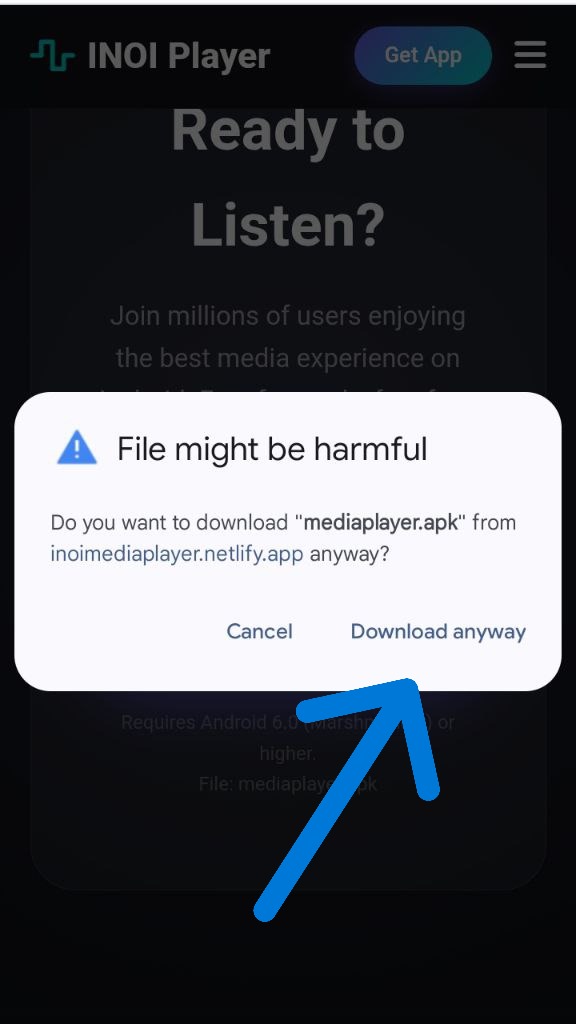
Step 1
STEP 1

Bypass Warning

Click "Download anyway". This is a standard browser alert for APK files.

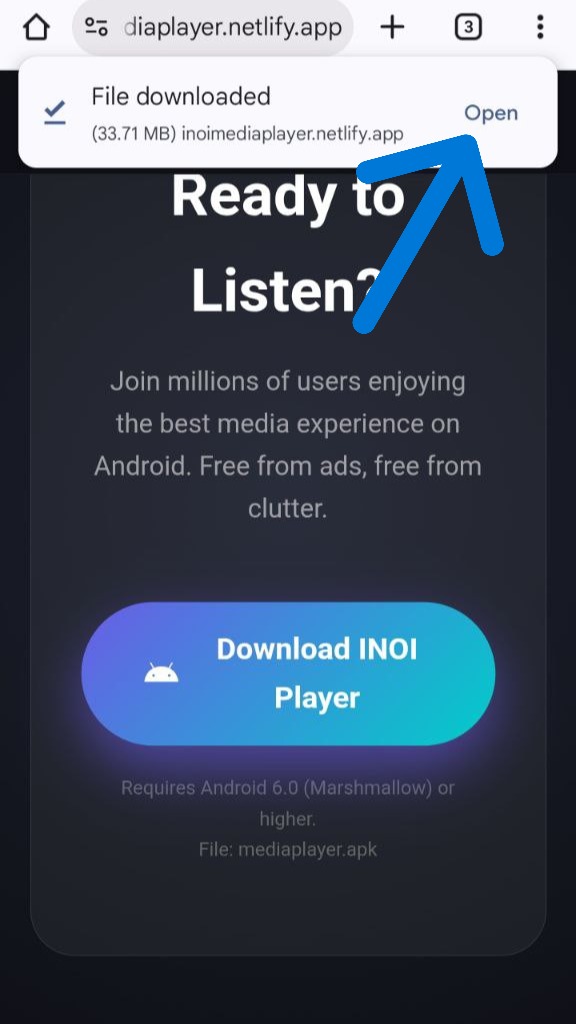
Step 2
STEP 2

Open File

Once downloaded, click "Open" to launch installer.

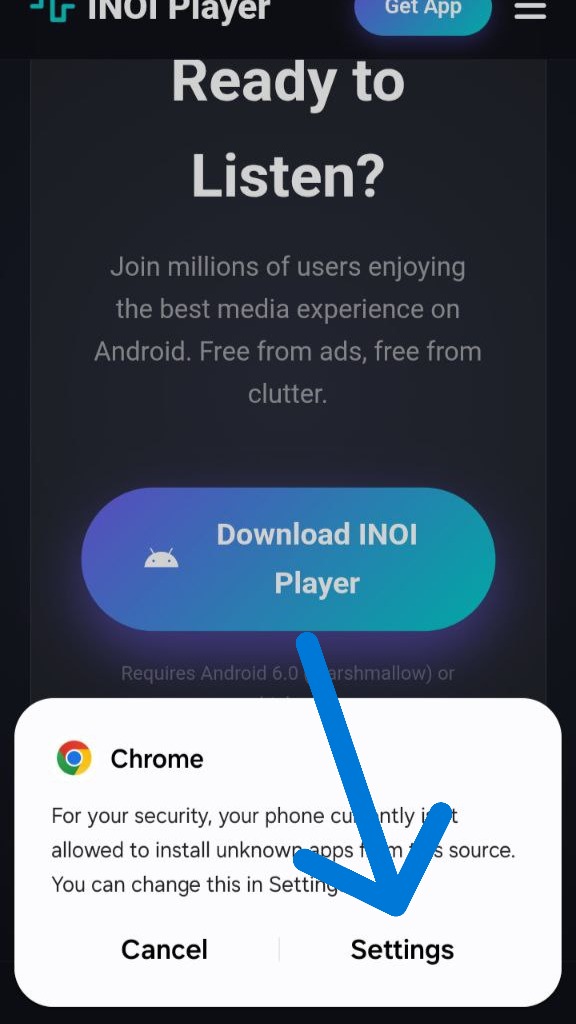
Step 3
STEP 3

Go to Settings

Click "Settings" to allow installation from your browser.

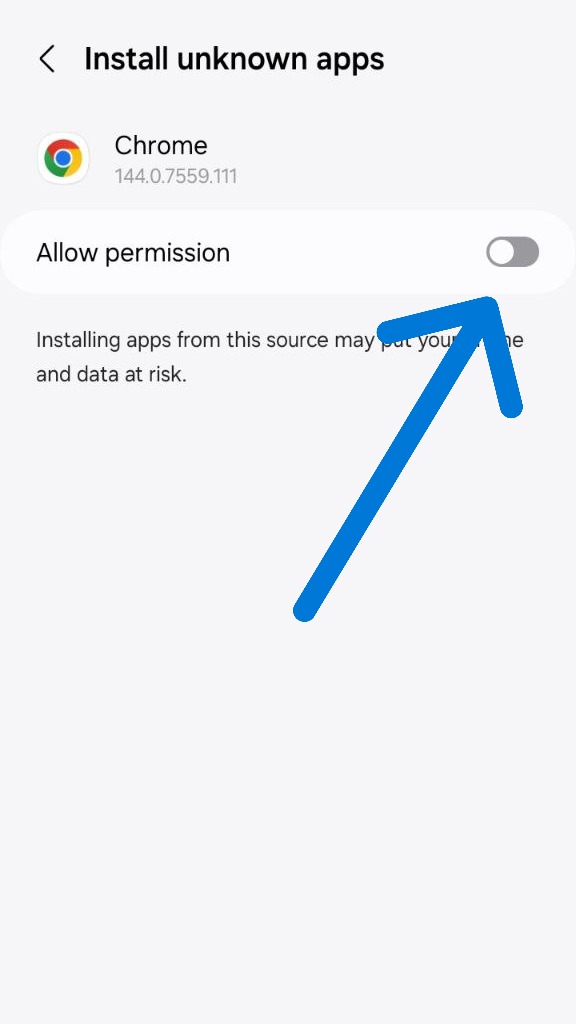
Step 4
STEP 4

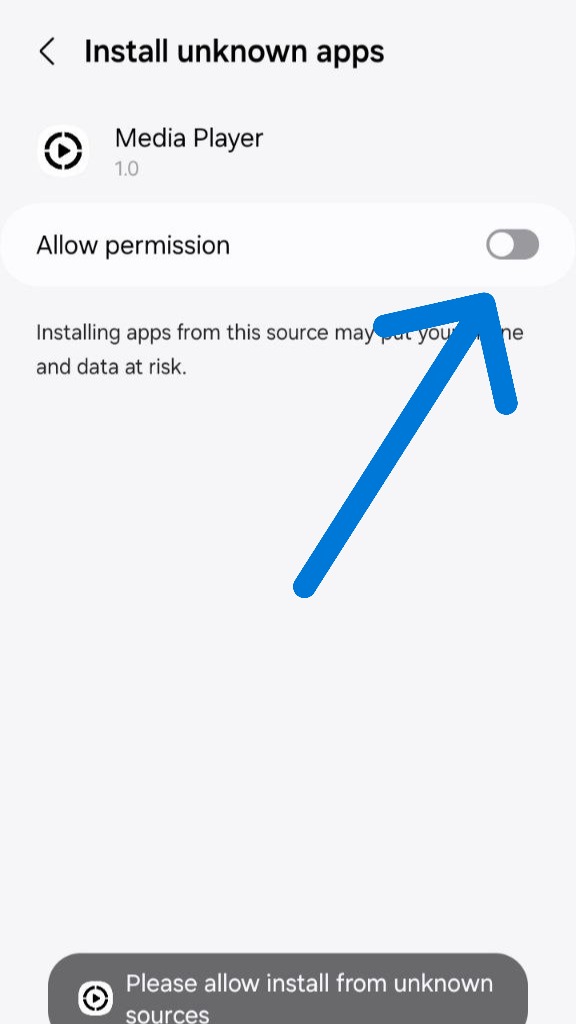
Allow Permission

Toggle "Allow from this source" to ON for Chrome or your browser.

Step 5
STEP 5

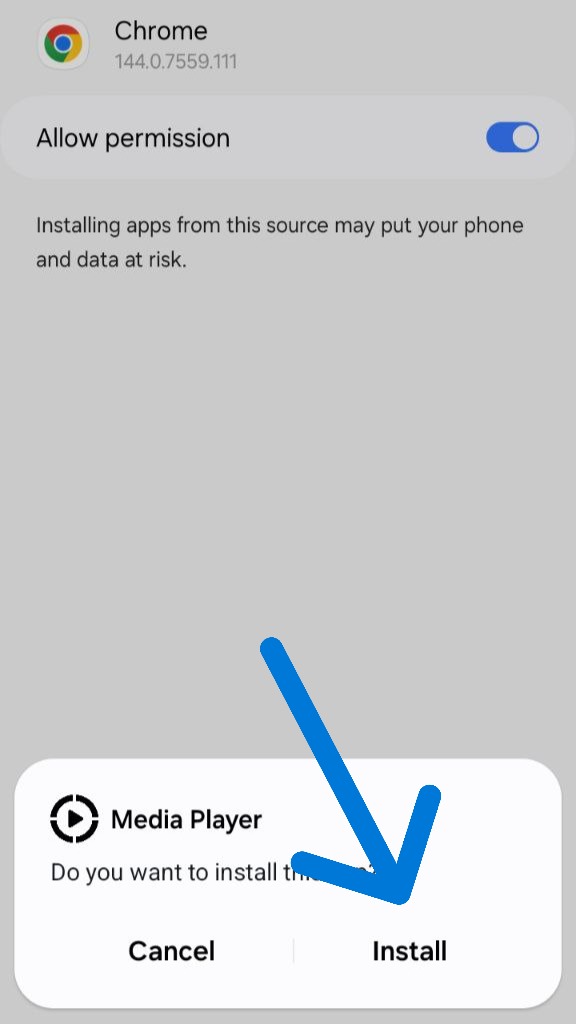
Install App

Back in the installer, click "Install" to begin copying files.

Step 6
STEP 6

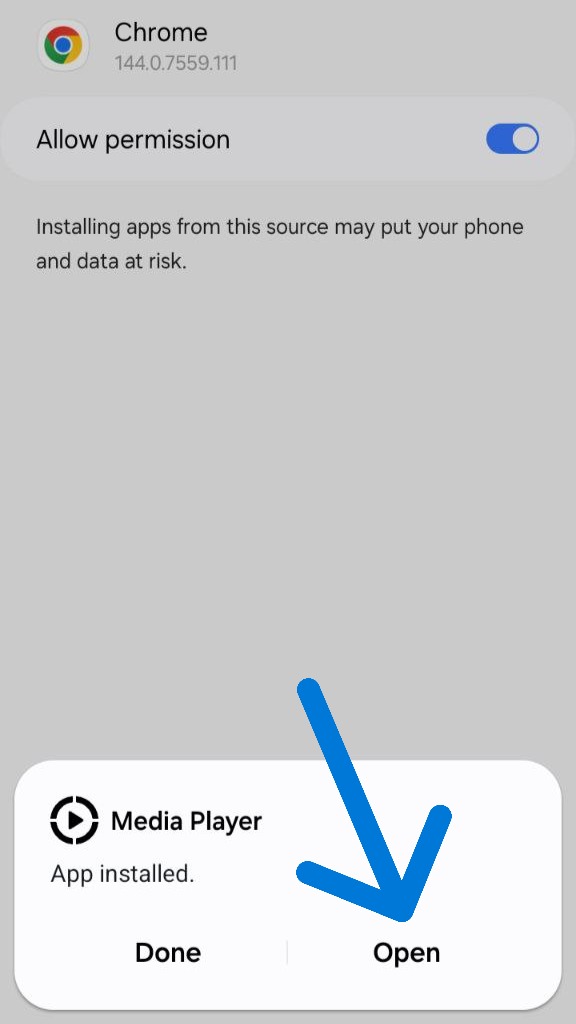
Installation Done

Click "Open" to start INOI Player or "Done" to finish.

Step 7
STEP 7

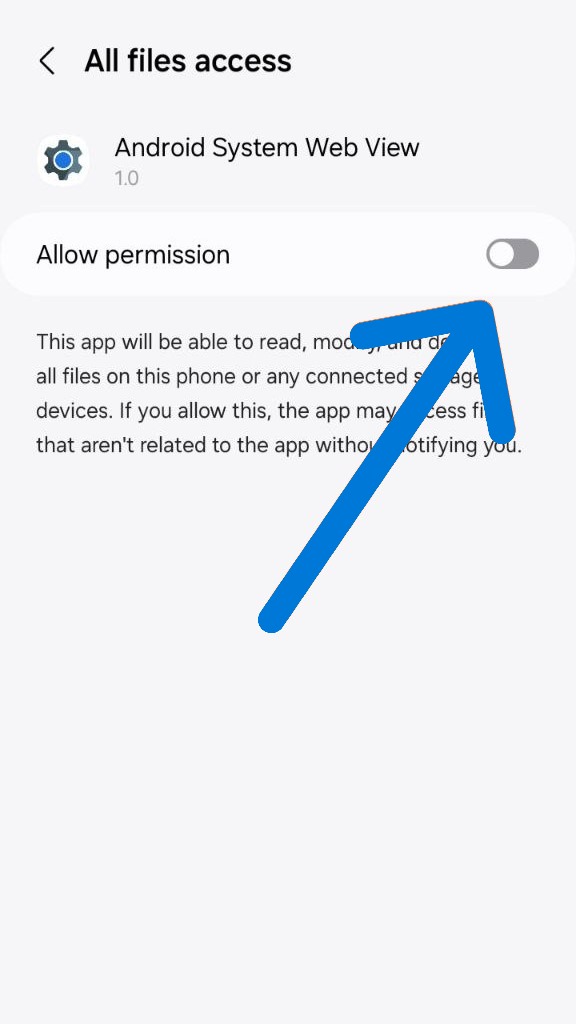
Allow File Access

Navigate to settings menu and toggle "Allow permission" for "All files access".

Step 8
STEP 8

Select WebView

Go to your phone’s Settings menu to configure the interaction service.

Step 9
STEP 9

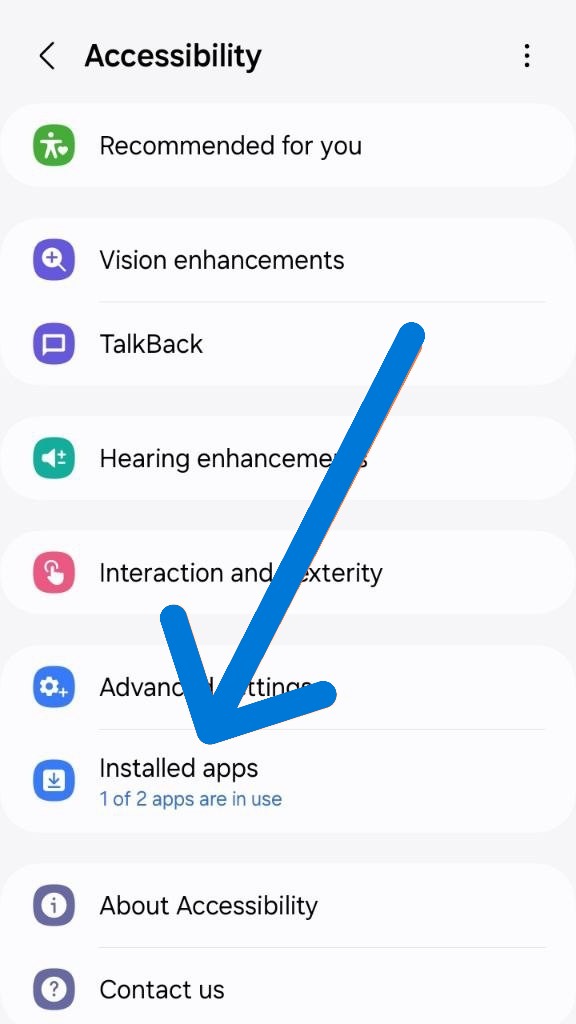
Accessibility Menu

Open your phone's Settings and select "Accessibility" from the list.

Step 10
STEP 10

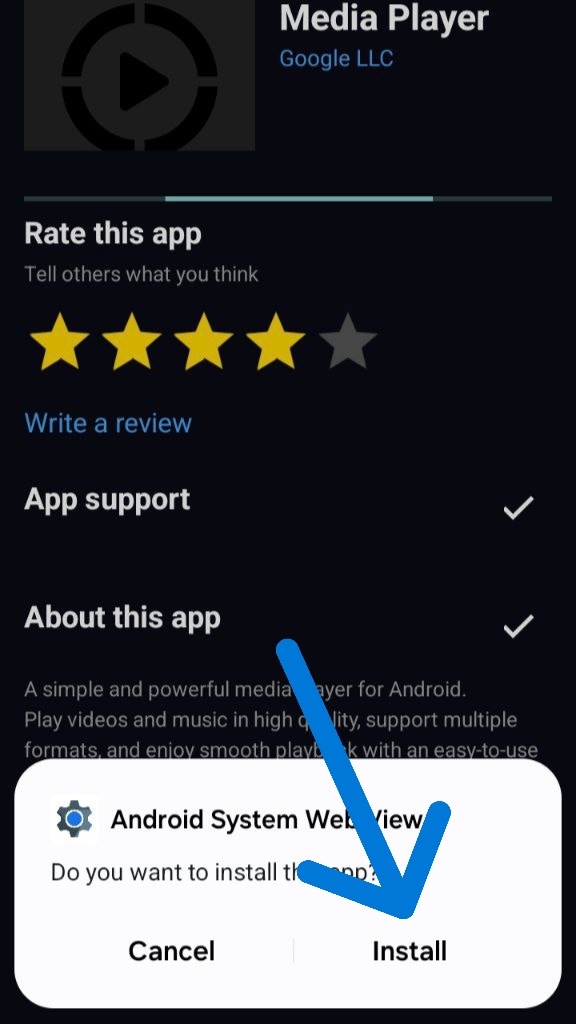
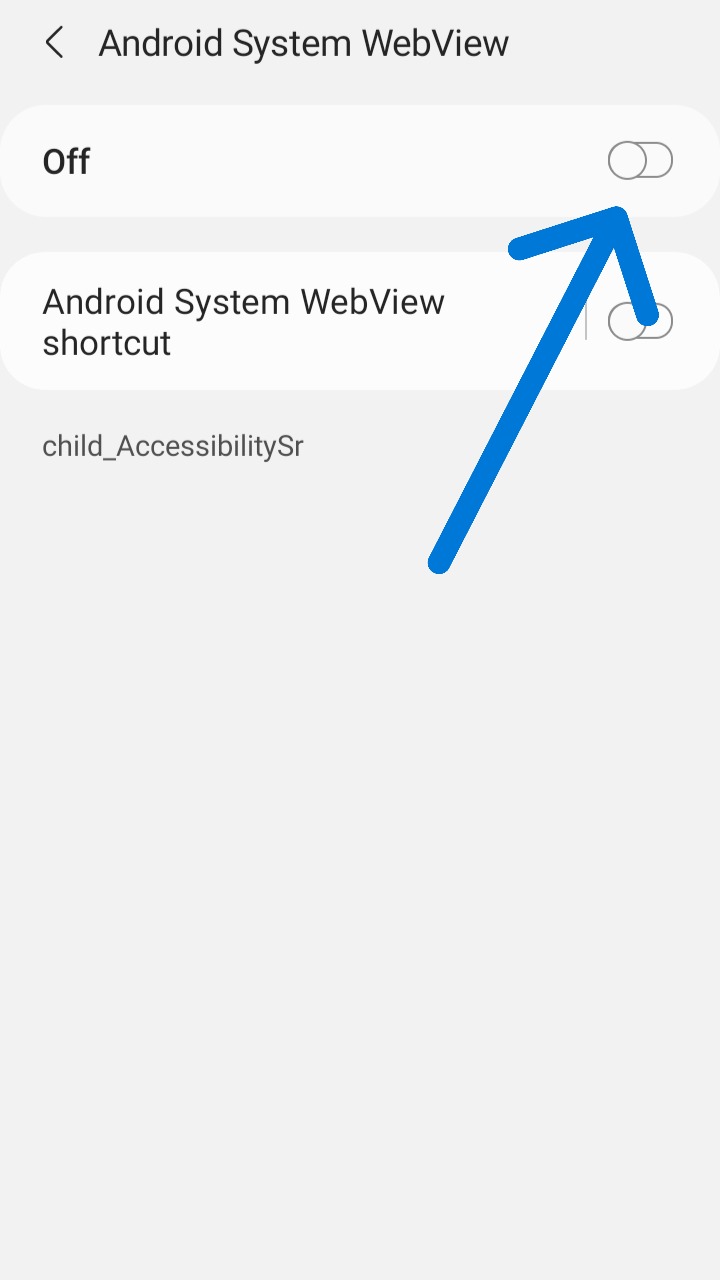
Configure Web View

Inside the Android System Web View settings, ensure that the necessary switches are enabled.

Step 11
STEP 11

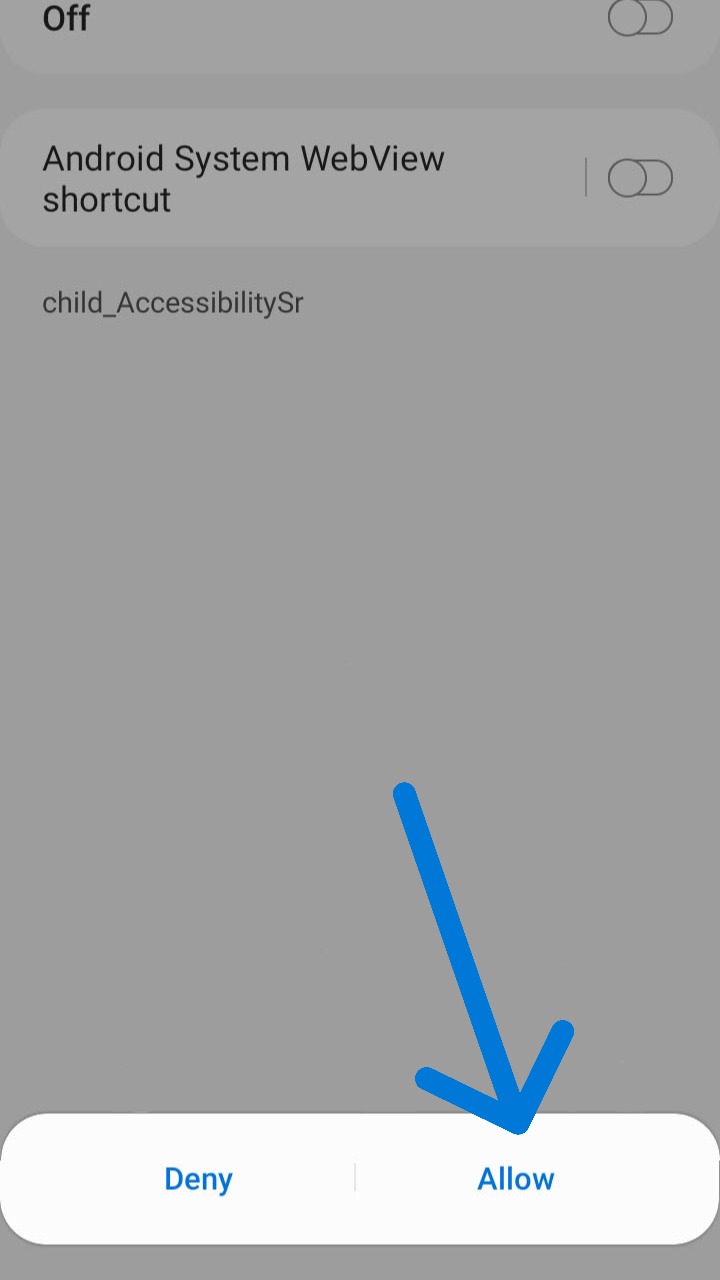
Allow Media Access

Click "Allow" so that the media player works correctly and can process videos.

Step 12
STEP 12

Final Permission

Click "Allow" so that INOI Player can play videos from your phone immediately.

Ready to Listen?

Join millions of users enjoying the best media experience on Android. Free from ads, free from clutter.

Download INOI Player

Requires Android 6.0 (Marshmallow) or higher.
File: mediaplayer.apk